“The best platform for a crisis is the one that helps you survive it!”

DropVault makes incident management efficient, uncomplicated, and secure
Whatever kind of incident you’re planning for or responding to, and especially a security or privacy breach, it’s going to be so much easier when you host, track, and follow-up every discussion, participant, and plan in one safe easy-to-use place.
And you’re probably going to have discussions that you never want making it into the public domain. Keeping them within a DropVault Saferoom will make your planning and response so much easier to manage, track, and protect.
Whether it’s pulling in multiple opinions, assigning tasks and teams, or signing off in a final plan, DropVault will help take some of the pain out of any incident response.
Best of all, if an incident has disrupted your communications and infrastructure, like your email, your DropVault Saferoom is always up and running.
Email is not a smart, convenient, or secure way to discuss a crisis or respond to it. And face-to-face meetings can be even less practical
Bringing every discussion and party into a DropVault Saferoom can help to solve these challenges and make sure that everything shared is secure, private and confidential.
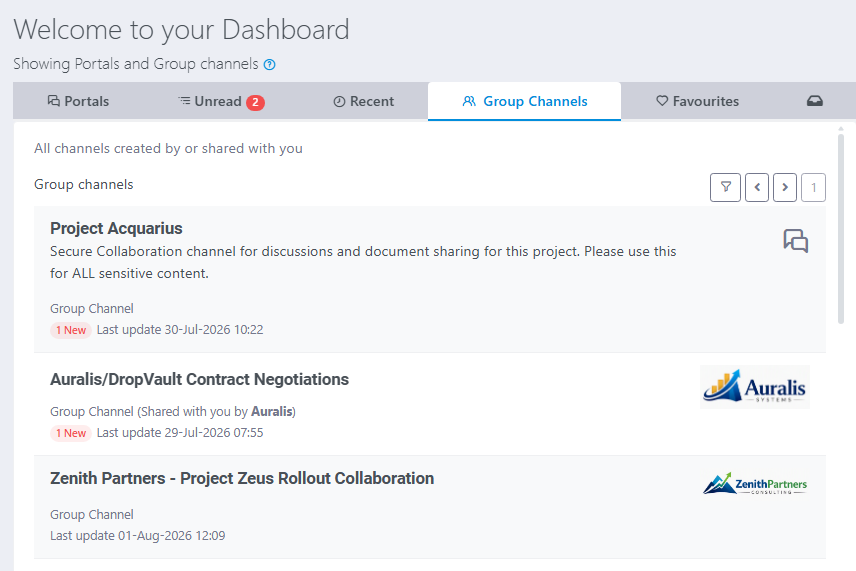
Ready to go when nothing else is – Out of band communications & collaboration
When an incident hits — ransomware, a DDoS attack, a breach that takes down internal systems — the tools most organisations rely on for incident response are the same tools that are offline or compromised. Email is down. The internal Slack or Teams instance is inaccessible. The ticketing system is on the affected infrastructure. The very platforms needed to coordinate the response are the ones that can’t be used.
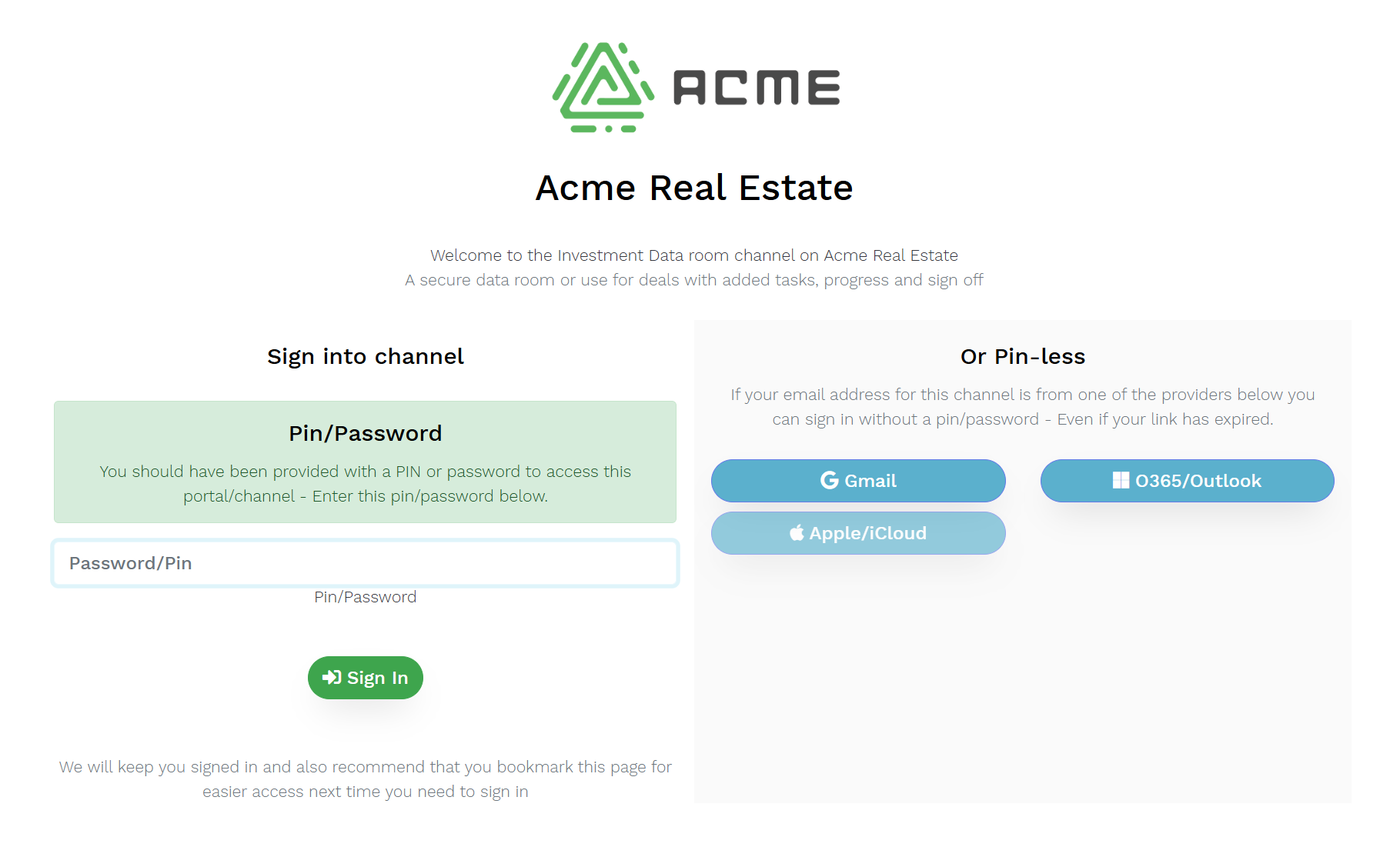
DropVault is completely separate. It runs on independent infrastructure, accessed through a browser, authenticated through credentials that exist outside the compromised environment.
Every plan, every step, every participant under one secure and confidential roof
You can create individual groups and assign them specific tasks, track and report on the progress of each group and task, invite external advisors to participate, test and refine crisis communications, share sensitive legal and regulatory obligations and so much more.
If keeping a detailed audit trail is a must, DropVault makes it easy to account for every discussion, document and decision no matter how minor or old.
And all with the confidence that all discussions and documents are leak-proof – that anything shared will remain secure, private, and confidential until you decide otherwise.

Gather Evidence & Coordinate A Response
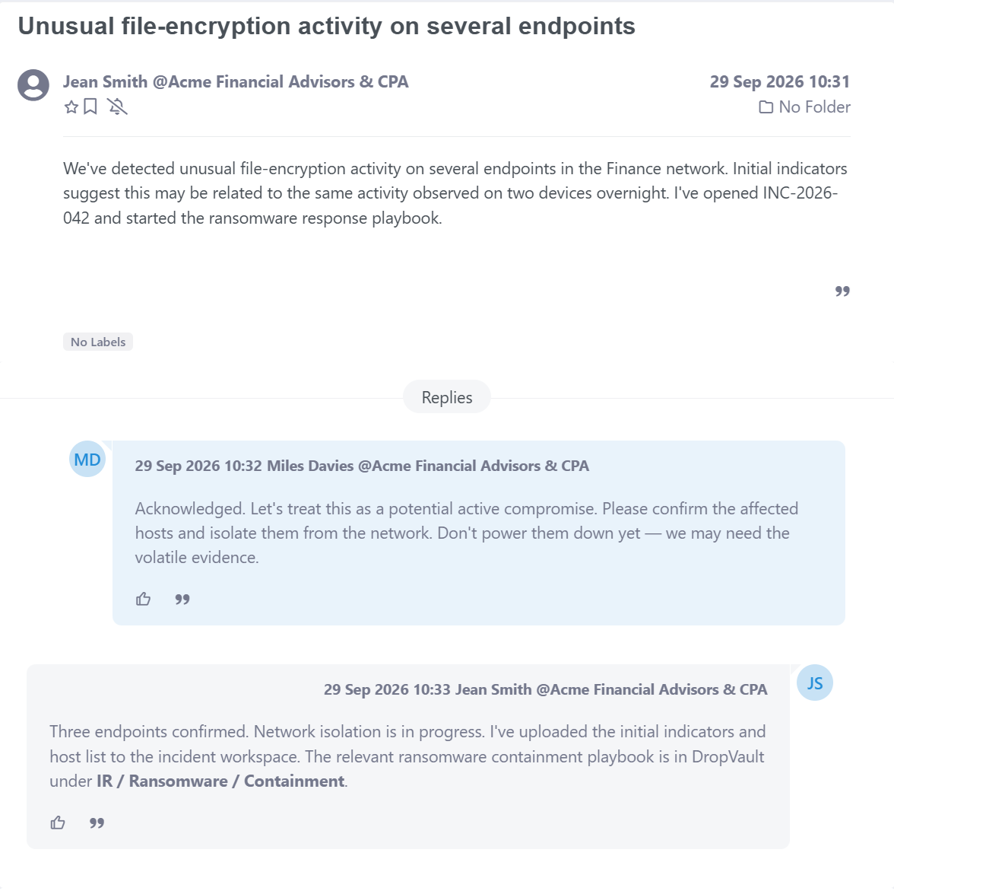
When an attack occurs, DropVault gives your team a secure, isolated space to coordinate the response. Every message, log file, screenshot, and forensic artifact stays inside a single encrypted channel, with verified participants and a complete audit trail.
You can discuss indicators of compromise, upload evidence as it’s discovered, track actions taken, and preserve every detail without risking leaks, inbox exposure, or accidental forwarding. It becomes the protected command center for understanding what happened and assembling the evidence you need to act.
Turning Response Plans into Actionable Tasks
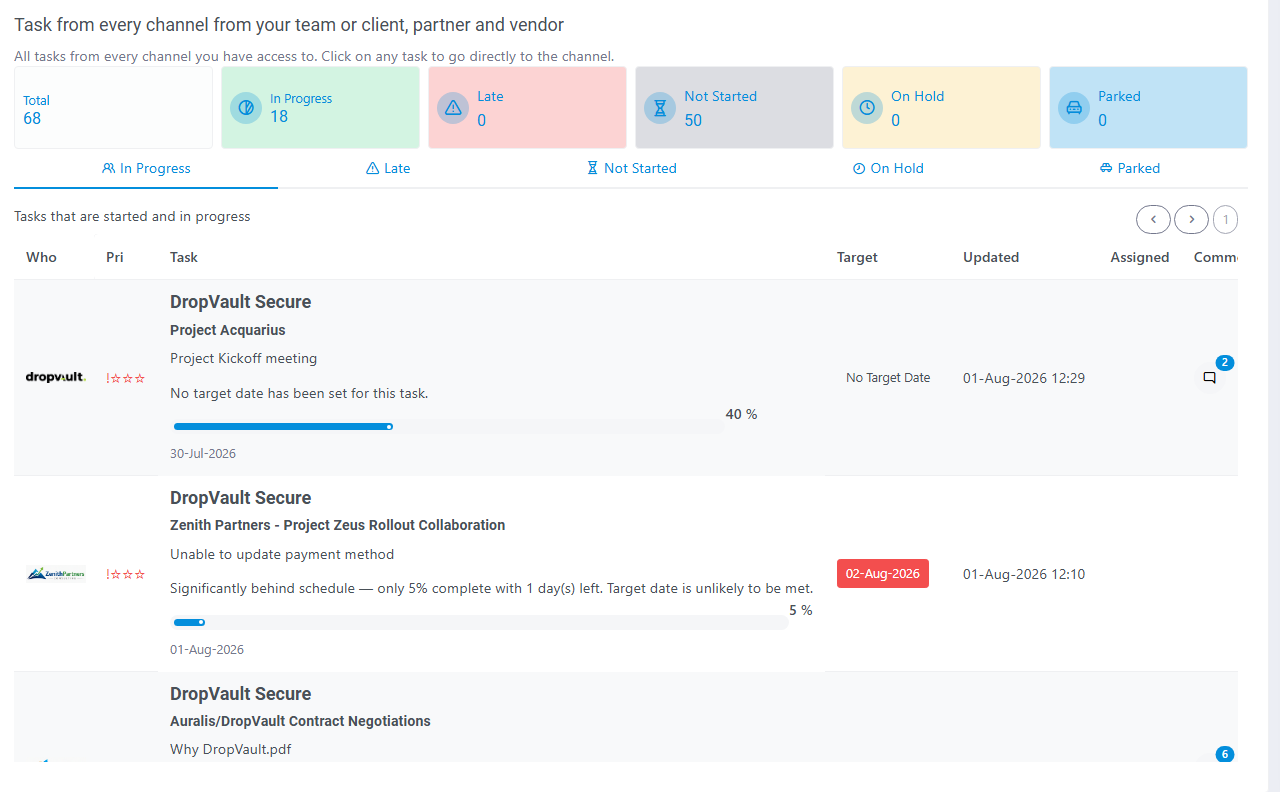
DropVault’s task manager keeps every action in an incident response organized and accountable.
You can assign tasks to internal teams or external specialists, set priorities, track progress, and link each task directly to the evidence or discussion it came from. Every step taken – containment, analysis, remediation – is captured inside the encrypted channel, giving you a clear, auditable record of what was done, by whom, and when.
And with our integrated Progress Tracker, every team and party has a real-time, bird’s-eye view of every moving part from a single dashboard.
Recording Decisions with Secure Sign‑Off
During an incident, DropVault’s Sign‑Off feature gives you a secure way to approve actions, assign responsibility, and formally record decisions.
Whether you’re authorizing containment steps, validating evidence, or green‑lighting a remediation task, each approval is captured inside the encrypted channel with a full audit trail. No loose emails, no missing signatures — just a clear, tamper‑proof record of who agreed to what, and when.

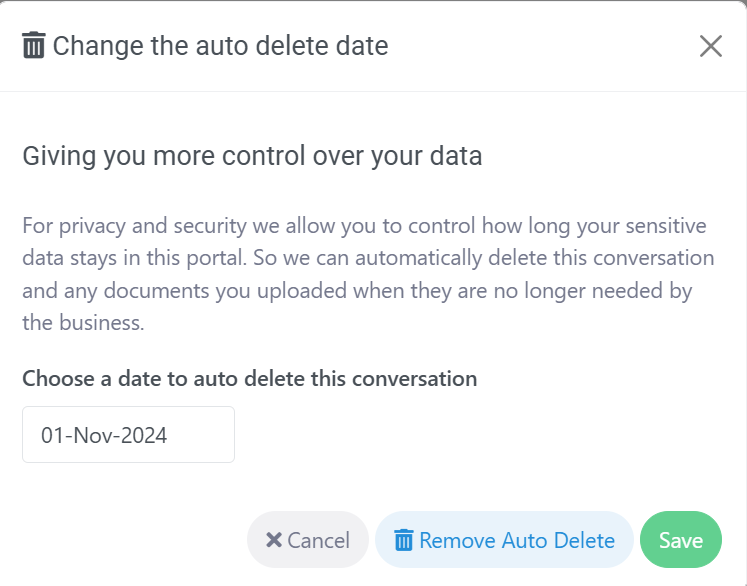
Delete anything instantly and automatically
Every incident or crisis response will include things that you might never want made public. That could include highly sensitive internal discussions and conversations, uncomfortable revelations, internal failures, forensics investigations, discovered weaknesses and vulnerabilities.
When the crisis has passed or the conversation is over it’s essential that anything that doesn’t need to be recorded or retained is automatically deleted forever.
Keep your playbooks and documentation secure
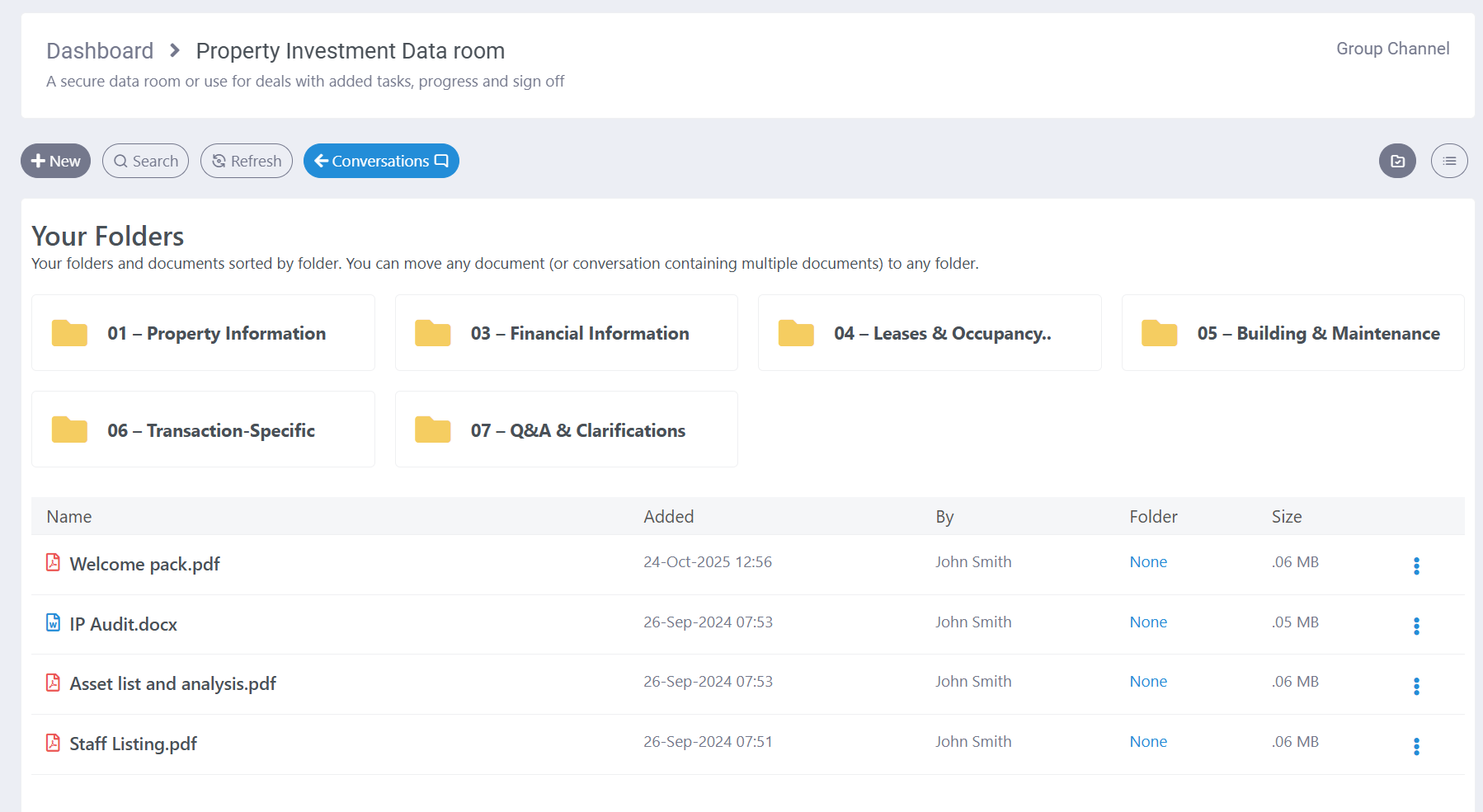
During a security incident, responders need immediate access to accurate playbooks, procedures, contact lists, architecture diagrams, and other sensitive security documentation. DropVault can provide a secure repository for this material, ensuring that incident response documentation is protected from unauthorised access while remaining available to the people who need it during a live event.
This is particularly important because incident response documentation can itself contain sensitive information, including details of security controls, privileged processes, internal systems, escalation paths, and emergency access procedures.
Frictionless access for external advisors
When you need outside help – forensic analysts, legal counsel, insurers, or specialist vendors – DropVault lets you bring them into the response instantly and securely.
Each external participant gets verified access to the incident channel, where they can review evidence, join the discussion, and contribute actions without exposing anything through email or shared links. Everything they see, share, or approve stays encrypted, auditable, and contained in one controlled space.
Security and privacy, first, always, and deep
We come from a security and encryption background, more than 40 years of it. Which is why we understand the need for combining multiple layers of real security and privacy with frictionless ease of use.
Every DropVault Saferoom is layered with more than 30 security and privacy features, all well tested and thought out, and all created from the perspective of the most determined attacker. And yet none of it gets in the way of even the most novice user.

Store and Retain Evidence
Storing and retaining incident‑response evidence isn’t just a technical requirement – it’s the backbone of forensic readiness. When an incident occurs, logs, artifacts, and decision trails must be captured immediately and preserved in a tamper‑evident environment so investigators can reconstruct what happened with confidence. High‑value sources like identity logs, cloud audit trails, endpoint telemetry, and network records often rotate quickly, and attackers frequently attempt to erase or modify traces.
Retaining this data in immutable storage ensures that every authentication event, configuration change, and system action remains available for analysis, regulatory reporting, and legal defensibility.