A secure hub for your most sensitive conversations, file sharing & deals
Our Group Channels & Collaboration Rooms provide a secure, continuous workspace for managing sensitive conversations, documents, and decisions with internal teams and external partners.

Replace insecure email threads & file sharing with a secure & private SafeRoom
SafeRooms bring together file sharing, discussions, tasks, sign-offs, eSignatures and workflows in one encrypted, controlled space. Everything in context. Nothing scattered across inboxes.
Layered with serious encryption, hardware key management, and privacy built in by default — this isn’t a filing cabinet with a lock on it. It’s a secure hub built specifically for the conversations and documents your business can’t afford to get wrong
In an era of increasingly sophisticated AI-driven threats, malware, and more frequent data breaches, a DropVault SafeRoom provides one of the most secure environments available anywhere.

One Project. One Place. Total Privacy.
When your sharing, conversations, and projects are scattered across email threads, productivity stalls. A SafeRoom keeps your entire workflow in one secure location that you control. While other providers keep a “master key” to your data, we believe your business is your business.
With a DropVault SafeRoom, every conversation, reply, and document is encrypted before it is stored on our servers—using an encryption key that only your business controls. This delivers more than privacy; it provides true security. Even in the unlikely event that our infrastructure were compromised, your data would remain encrypted and unreadable to unauthorized parties.

Ditch the FIle Share Folder Maze
Traditional file sharing is a management nightmare of broken links and “access denied” emails. DropVault Group Channels replace the legacy folder mess with a unified SafeRoom where your files live alongside the conversation. No more syncing issues or permission audits—if your team is in the channel, they have exactly what they need. It’s file sharing that finally understands the context of your work, keeping you organized and your data invisible to everyone else.
By removing the burden of managing individual file permissions, your team can stop worrying about access lists and focus on what matters: seamless, secure collaboration.

Collaborate & share with anyone, securely
Share with any co-worker, contact, external advisor, or entire external team — without any of the friction. No complicated setup, nothing to install, no decisions to make about whether to encrypt. Share a conversation just as easily as a document, with everything encrypted by default so your sensitive data stays private.
Email was built for postcards, not vaults. A DropVault SafeRoom is a better way — a secure space to upload, share, and collaborate with anyone, on any device, with the minimum friction and maximum security.
Unified Collaboration Without the Chaos
Stop toggling between apps and digging through threads. DropVault Channels bring your team, your files, and your clients into one streamlined environment. Experience a feature-rich workspace designed to maximize your billable hours while keeping your most sensitive projects completely off the grid.
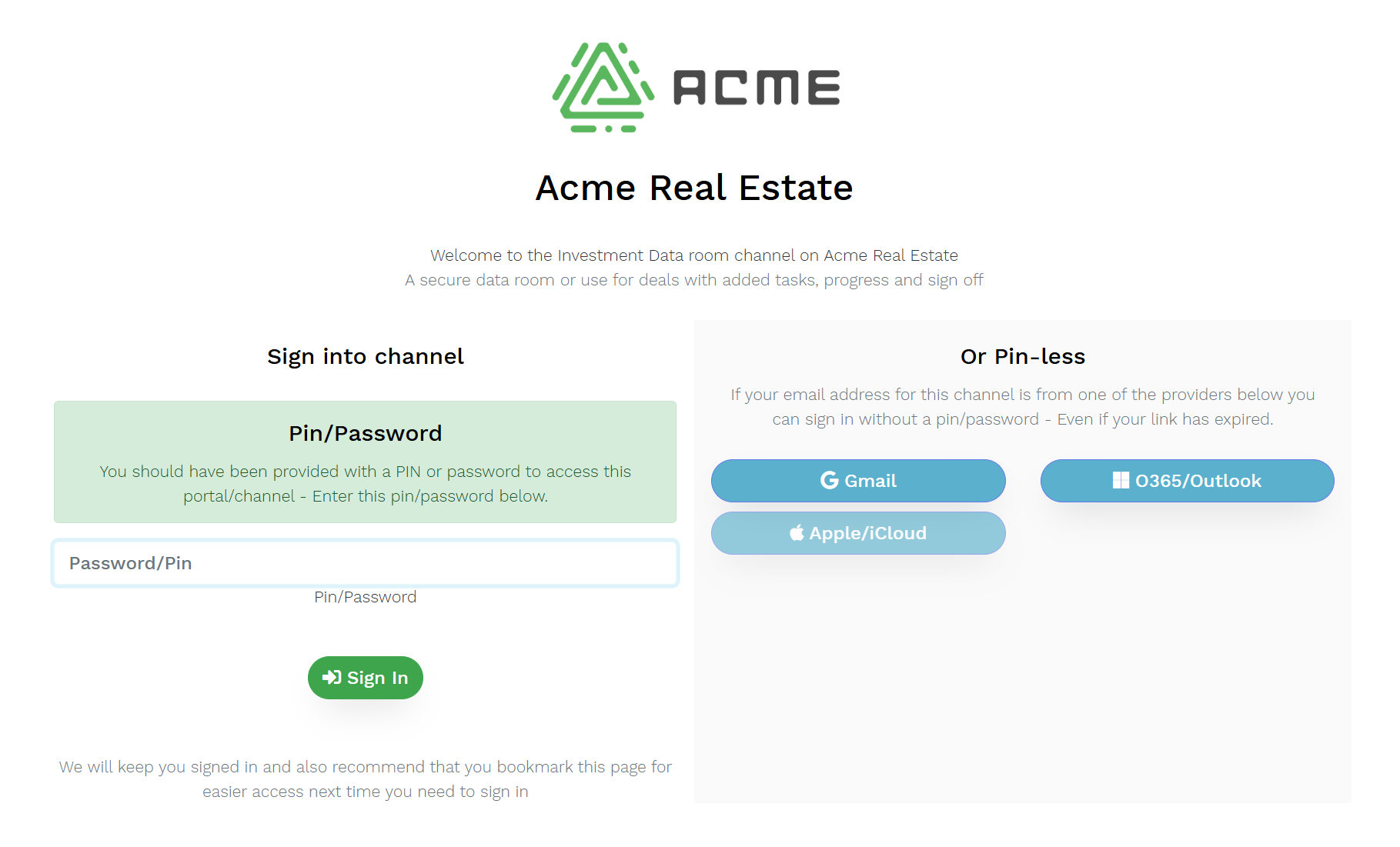
No passwords to share. No PINs to forget. No risk.
We eliminate the friction long associated with management tools by making it simple to share with external clients or contacts. Just add your contact email address to the access list and we will send a link via email. Nothing to install for your clients, no VPNs required.
Any external contact can access your channel using their GMail, Microsoft, or Apple ID (soon), which provides them with one-click access to a channel. Alternatively you can also share pinless or PIN-required links for those contacts that don’t use these services.
Eliminate Link Fatigue with Peer-to-Peer Sharing
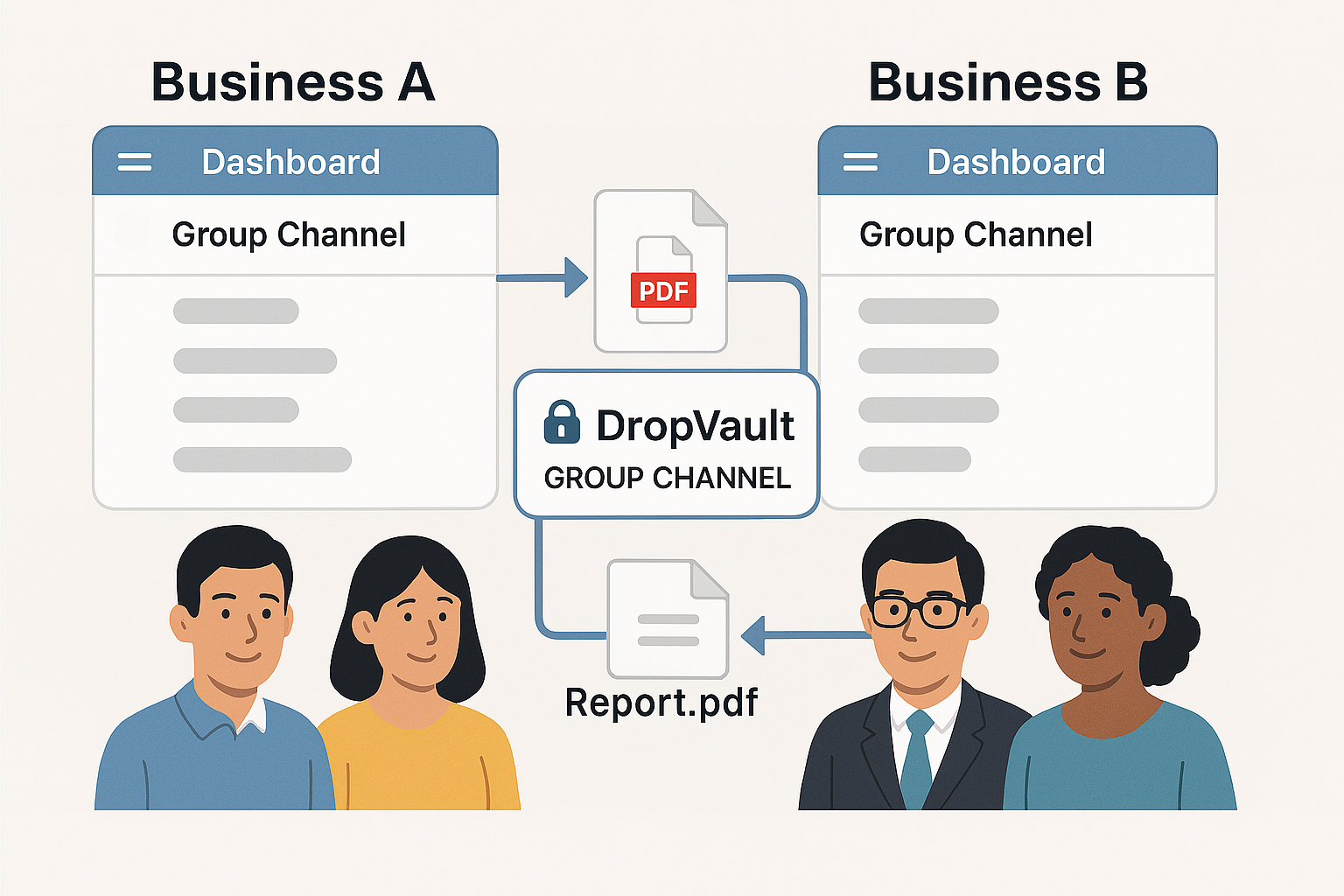
Move beyond the “one-off link” era. When your clients join the DropVault network, your shared channels appear instantly on their own professional dashboard. No links to lose, no passwords to reset—just a seamless, encrypted bridge between your business and theirs.
It’s not just a file share; it’s a secure workspace where they can even bring in their own advisors and consultants.
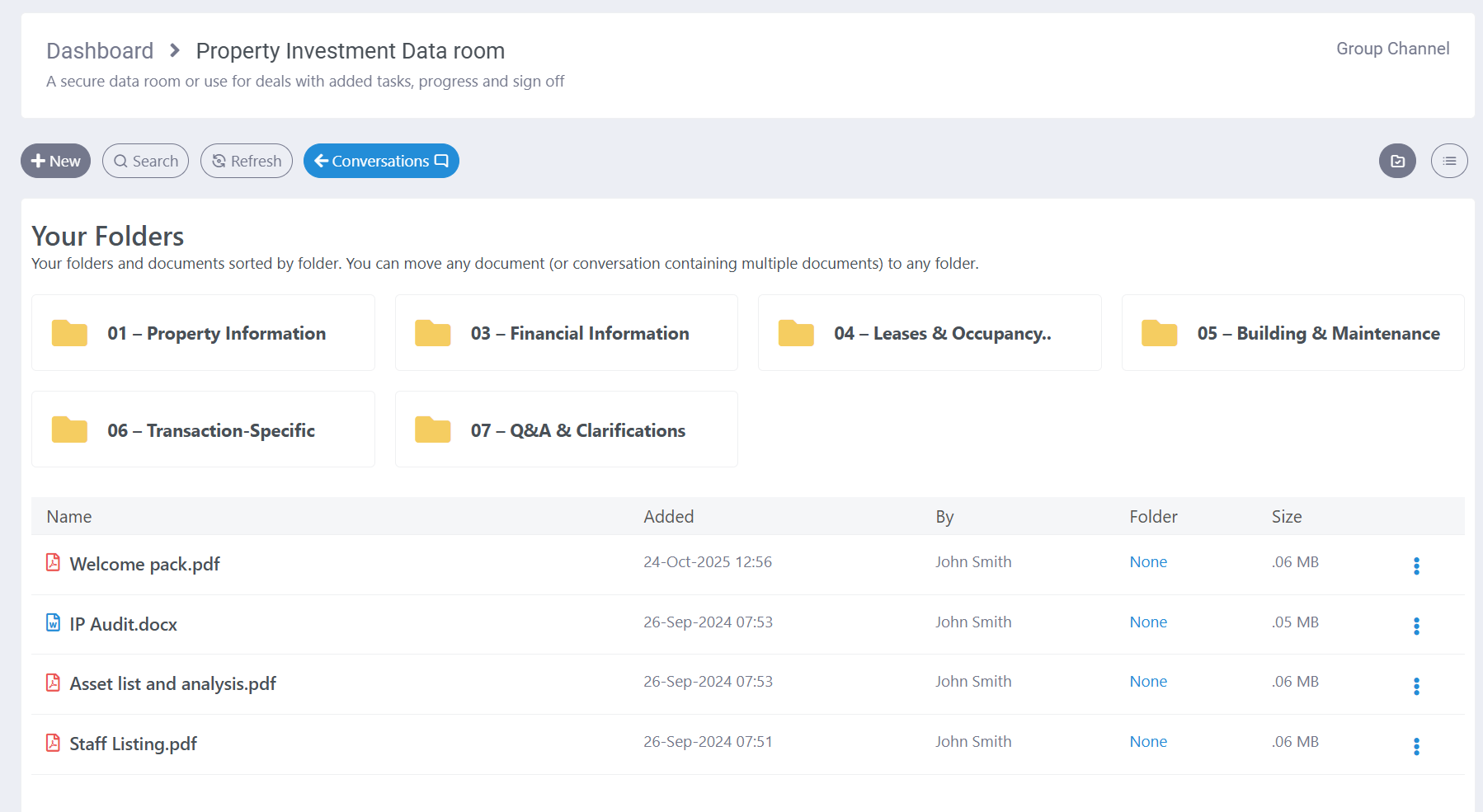
Use the file manager to share any document securely and with privacy
Create or select folders, then simply drag and drop your files up to 2GB in size to share them instantly with your team.
Once uploaded, you can do more than just store documents — add labels to keep everything organized, set reminders to stay on track, or turn a file into a task and assign it directly to a teammate. Need accountability? Request a sign‑off or approval with just a click. Build your folder structure to match the way your business works, so your files are always easy to find, manage, and act on.
Discussions, sign off & decisions belong with the documents, not in insecure email
Comment directly on any document or begin a new conversation right in the channel. There’s no need to switch back to email, and every discussion stays in context and completely private.
Simply drag and drop files into a conversation, and they’ll automatically appear in your file manager — keeping everything connected, organized, and easy to find.
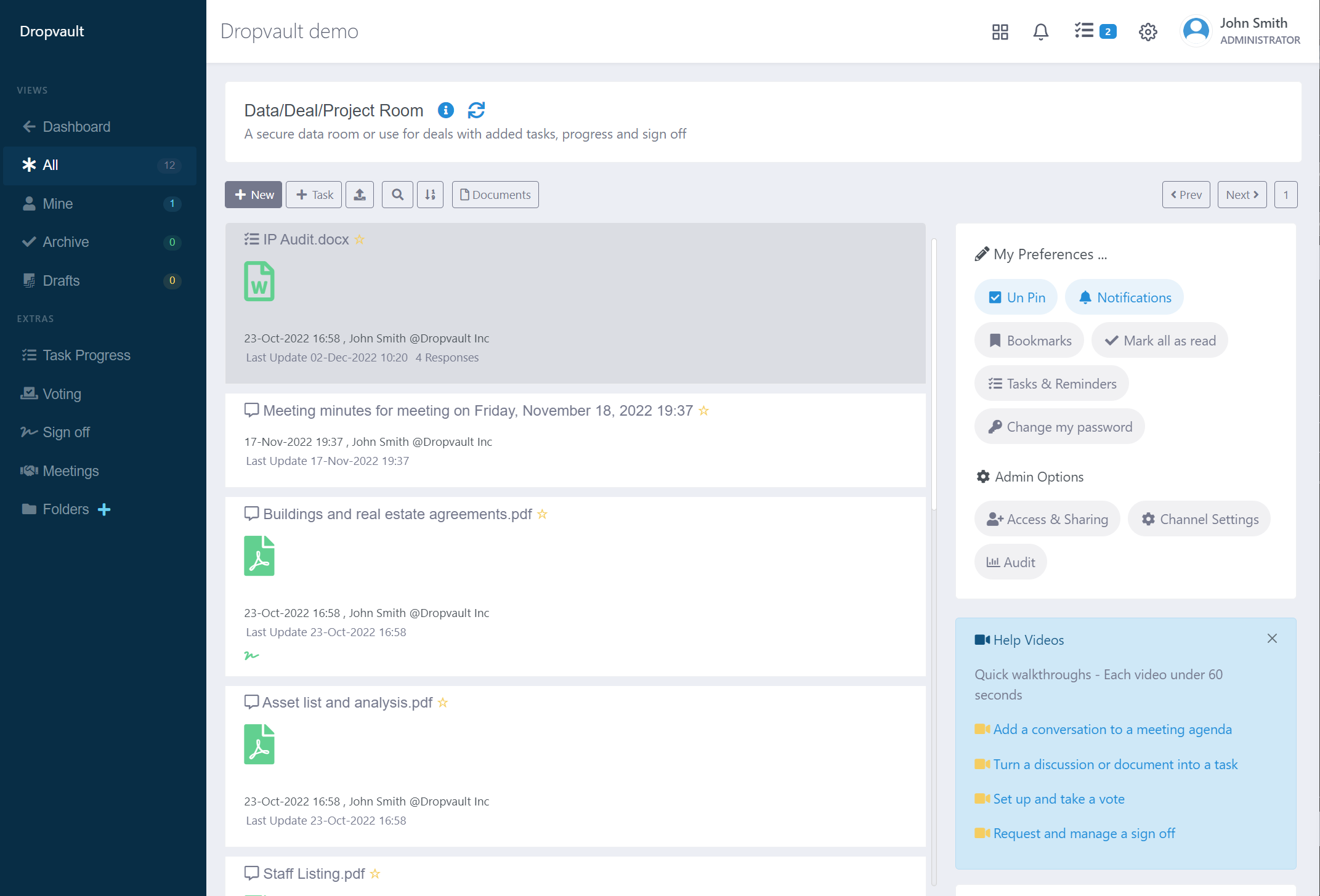
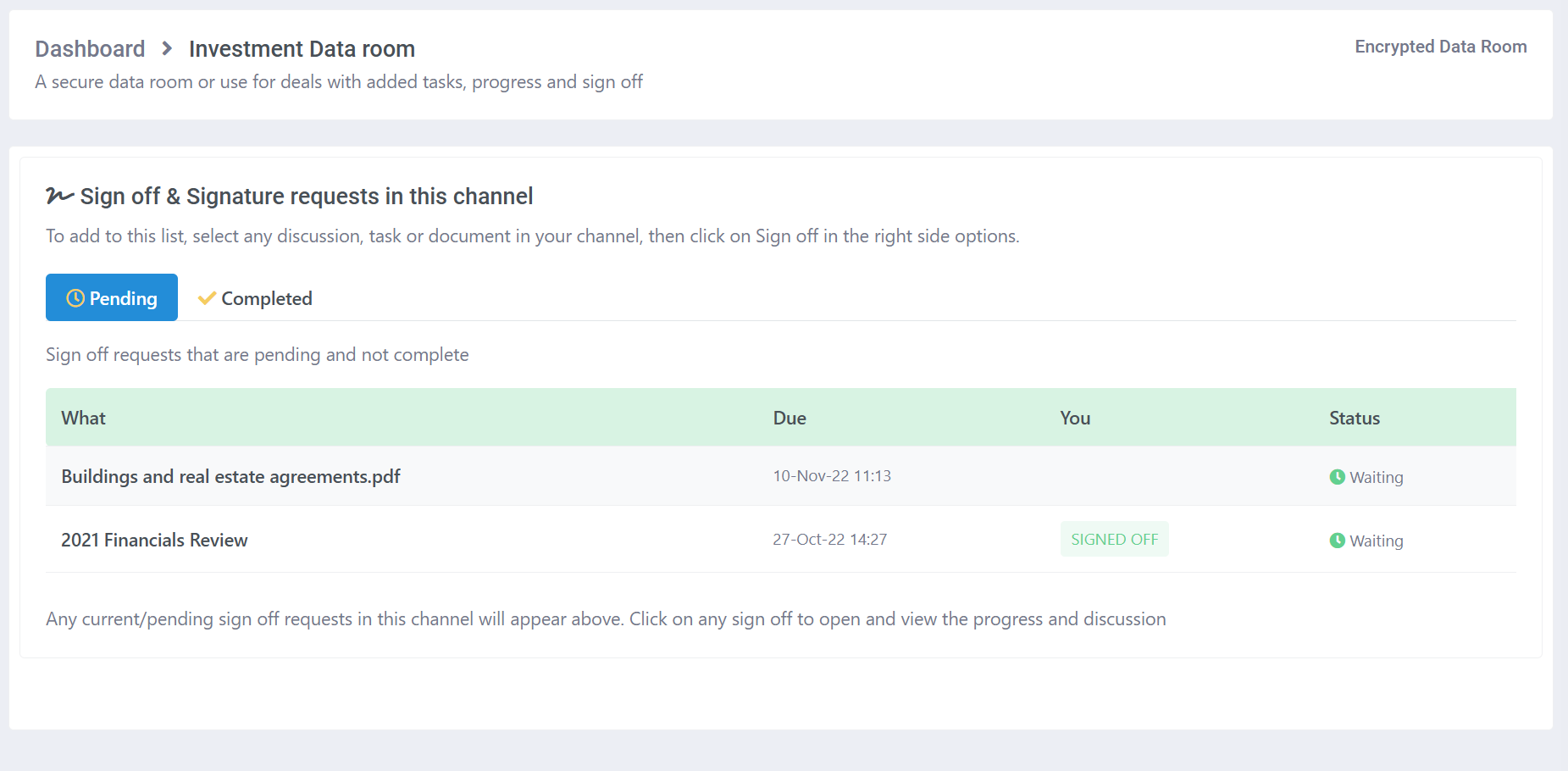
Request reviews & track sign off
Move projects forward with confidence by requesting reviews and tracking sign‑offs. Whether it’s a contract, a proposal, or a key project milestone, sign‑off gives your team a structured way to review documents and provide their approval before the next step.
Assign reviews to the right people, gather their feedback, concerns, and notes in one place, and capture a clear decision — approval or rejection. With sign‑off, you can delegate responsibility, ensure accountability, and keep your workflow transparent and efficient
Every task, in context. Not scattered across email threads.
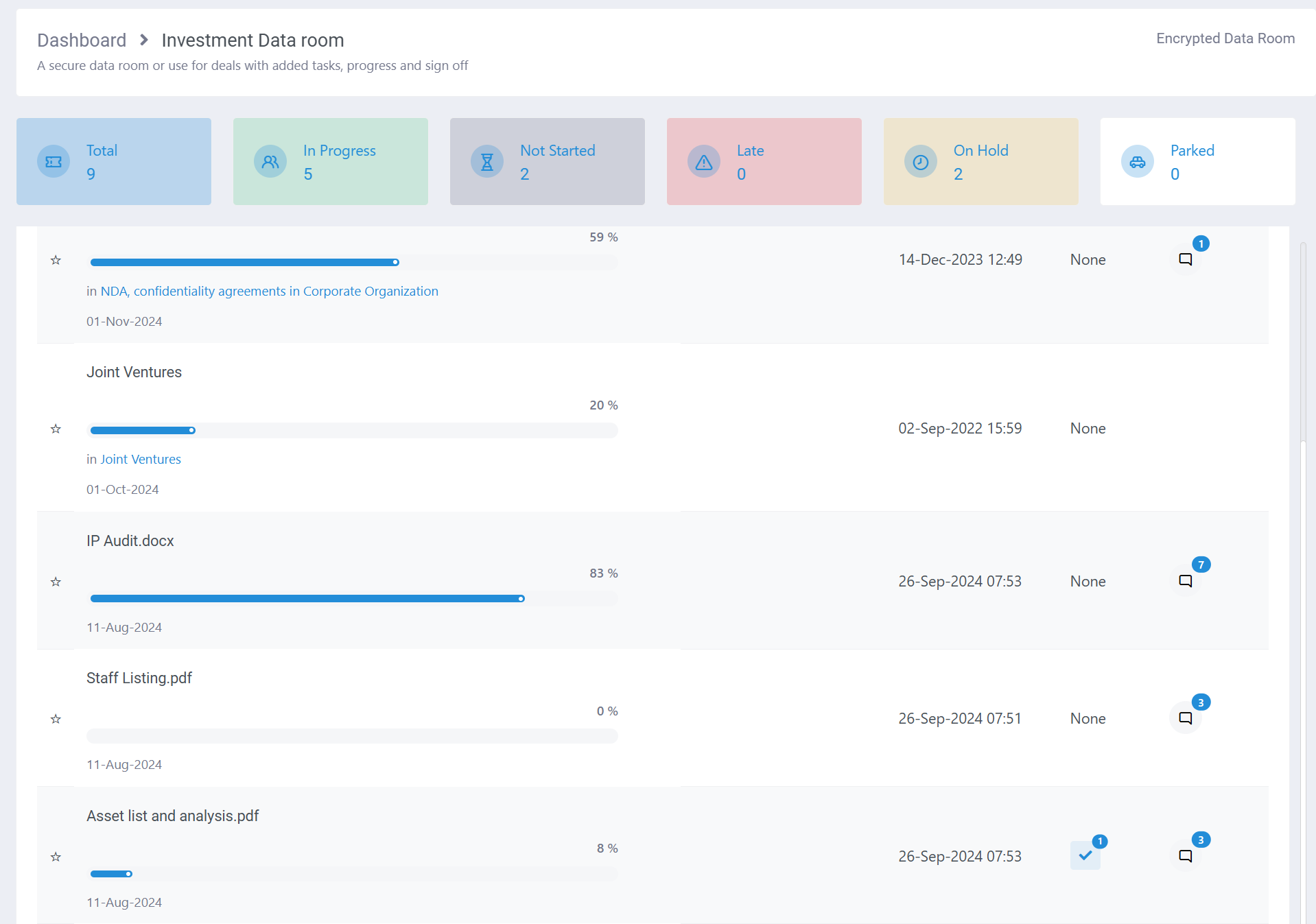
Stay on top of your work with a built‑in task manager that turns any discussion or file upload into an actionable task. Add due dates, assign responsibilities to your team, set priorities, and keep everything moving forward. With the integrated progress tracker, your team can easily view and monitor tasks right from the dashboard, ensuring nothing slips through the cracks.
By keeping tasks within the same secure channel as your conversations and files, your sensitive data and decisions remain protected. Everything stays private, organized, and accessible only to the people who need it — giving you both efficiency and peace of mind.
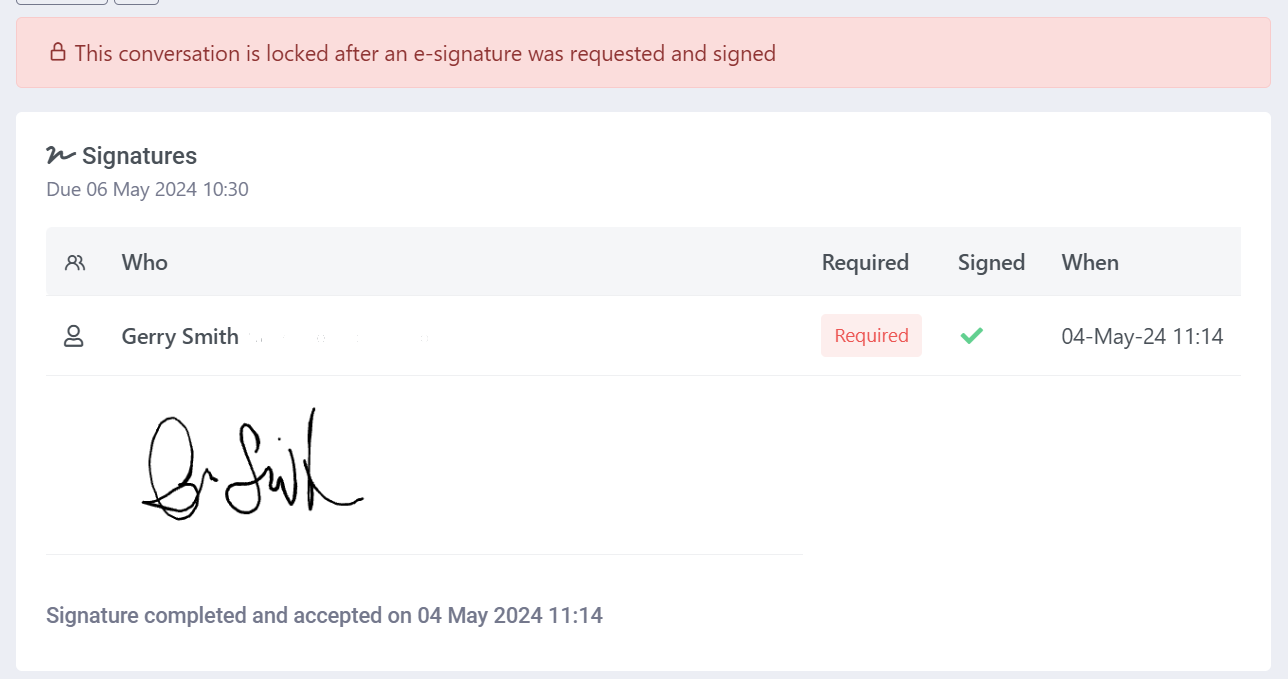
Sign documents without leaving the channel
Make approvals effortless with built‑in e‑signatures. Whether it’s a discussion, a task, or a document, you can request a signature directly from your customer or team. They’ll be prompted to review, accept, and record their signature using any touch device — no extra steps required.
And it’s not limited to documents. Capture agreement on an entire conversation, ensuring clarity and accountability at every stage. There’s no need to switch between apps or juggle multiple tools — everything is stored securely in your customer’s portal, keeping sensitive information private and protected.
Dynamic PDF watermarks & Passwords protect your documents
Track your PDF downloads and sharing with dynamic watermarks on every PDF – With custom settings per channel you can quickly identify who when and where any PDF was downloaded and shared
Optionally add a custom password to each channel and we will require this password to open any PDF when downloaded.

And many more great tools to make your team productive
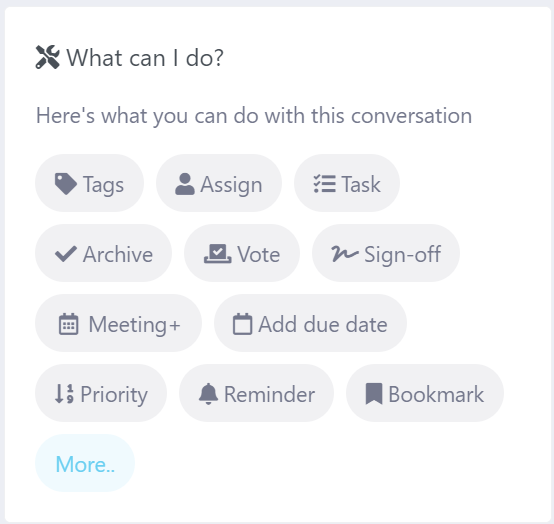
Empower your team with a suite of tools designed to keep conversations and projects moving forward. From a built‑in task manager that lets you assign and track every discussion until it’s completed, to a shared team calendar and smart reminders that help you stay on top of important customer dates, everything you need is right at your fingertips
Best of all, you never have to move your documents outside of your secure channel. Every file, task, and conversation stays protected in one place, ensuring your sensitive information remains private while your team collaborates with confidence.
Connect and share with stakeholders with a dedicated channel for private discussions, documents and decisions

Collaborate with clients, legal and financial advisors in one secure and private space

Safeguarding Family Office Conversations and Documents in Today’s High‑Risk Digital World

Collaborate with vendors & clients on contracts & renewals

Sovereign, Encrypted Communications for Government Agencies

Using DropVault as a secure file share for sensitive medical & financial data
Interested?
If you’re new to DropVault, you can easily get started with a 14-day no hassle free trial, and no credit card required. Or contact us for more information or if you have any questions.